






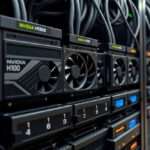




Just as GPUs revolutionized deep learning, pairing them with agentic AI unlocks unprecedented automation power. You can now build systems that adapt, decide, and act autonomously in real time. This guide gives you 6 practical steps to integrate these technologies safely and effectively, avoiding costly inefficiencies while maximizing performance and scalability.
Key Takeaways:
- Pairing GPUs with agentic AI accelerates real-time decision-making by enabling faster processing of complex models and dynamic environments.
- Design systems where AI agents offload intensive computations to GPUs, improving efficiency and allowing autonomous adaptation during task execution.
- Start small by integrating one GPU-powered agent into an existing workflow to test responsiveness, scalability, and performance gains before expanding.
Selection of the Silicon
Choosing the right GPU architecture shapes the performance ceiling of your agentic AI system. You need silicon that supports mixed-precision computing and offers high memory bandwidth to handle dynamic decision-making workloads. NVIDIA’s H100 and AMD’s MI300X lead in parallel processing for autonomous agents, but cost and power demands must align with your deployment scale.
Picking the Right Core
You must match GPU core capabilities to your agent’s reasoning depth and inference speed requirements. Cores with strong tensor processing outperform in real-time policy execution, especially when agents operate in fast-changing environments. Avoid over-provisioning; efficiency often beats raw power in sustained automation tasks.
Clearing the Data Path
Data flow bottlenecks can cripple even the most advanced GPU-agent pipeline. You need direct, low-latency pathways from storage to GPU memory, minimizing CPU mediation. Utilizing GPUDirect and NVLink slashes transfer delays and boosts agent responsiveness.
Ensuring persistent, high-throughput data access means configuring your I/O stack for asynchronous streaming. This allows agents to process observations and update policies without waiting for batch loads, maintaining continuous operation under real-world variability.
Construction of the Agent
Every agentic AI begins with a clear purpose.
Defining the Mission
You must specify exactly what the agent is meant to achieve-whether it’s optimizing GPU allocation in real time or managing automated workflows across clusters. A poorly defined mission leads to erratic behavior and wasted compute. Align the objective with measurable outcomes so performance can be tracked and refined continuously.
Logic drives autonomy.
Building the Logic Loop
You design a cycle of perception, decision, action, and feedback that allows the agent to adapt without human input. This loop runs faster when backed by high-throughput GPUs, enabling real-time inference and learning. Without a tight feedback mechanism, the agent cannot improve from experience.
Integrating this loop demands tight software-hardware alignment. Learn more about optimizing physical infrastructure for these systems in the Agentic AI Platforms Hardware Infrastructure | Exxact Blog, where GPU topology and memory bandwidth directly influence agent responsiveness and scalability.
Management of the Load
Efficiently balancing computational demand across GPUs prevents bottlenecks in agentic AI workflows. You must monitor real-time usage to dynamically assign tasks based on current capacity, ensuring no single unit becomes a performance liability. Overloading one GPU can trigger memory faults, stalling autonomous decision-making.
Smart scheduling tools let you preempt congestion by predicting load spikes. You’ll gain stability by capping concurrent processes per device, maintaining consistent response times even during peak automation cycles. This control is non-negotiable for reliable, continuous operation.
Saving the VRAM
VRAM conservation directly impacts how many agents you can run in parallel. You should offload inactive model layers to system RAM or SSD using paging strategies, freeing precious GPU memory. Ignoring this step risks abrupt crashes during complex inference tasks.
Quantizing weights to 16-bit or 8-bit precision slashes memory use with minimal accuracy loss. You’ll find that mixed-precision execution not only saves VRAM but also accelerates processing-delivering a double efficiency gain across your AI fleet.
Distributing the Work
Splitting AI agent tasks across multiple GPUs maximizes throughput without overburdening any single unit. You can assign specialized roles-like perception, planning, and action-to different devices, enabling parallelized, concurrent reasoning. This reduces latency and boosts scalability.
Frameworks like PyTorch Distributed or Ray allow you to coordinate inter-GPU communication with minimal overhead. You maintain tight synchronization between agents while avoiding data bottlenecks, ensuring decisions remain coherent and timely.
Distributing the work isn’t just about spreading load-it’s about intelligent specialization. When you align each GPU with a specific cognitive function in the agent loop, you create a pipeline where data flows smoothly from input to action. This architecture supports real-time adaptability, letting agents respond to dynamic environments without waiting on a single processing chokepoint.
Deployment in the Field
You’re now ready to move from testing to real-world deployment. Integrating GPUs with agentic AI systems in live environments demands precision, but the payoff is immediate autonomy at scale. Position your hardware where data velocity matters most, and ensure agents can act without constant oversight. Learn more about this shift in Agentic AI: Rewriting the rules of compute and networking, where decentralized intelligence begins reshaping infrastructure.
Reducing the Lag
Latency kills responsiveness, especially when agents make split-second decisions. You must optimize GPU inference pipelines to minimize delays between perception and action. Edge deployment cuts down data travel time, enabling agents to react in real time. Offloading processing closer to the source turns sluggish systems into agile ones, ensuring decisions happen where they’re needed-fast.
Watching the Results
Performance becomes clear only when agents operate under real conditions. You’ll monitor key metrics like decision accuracy, resource use, and adaptation speed. Unexpected behaviors may emerge, revealing gaps in training or environmental understanding. Continuous observation isn’t optional-it’s how you ensure safety and effectiveness in dynamic settings.
Agents interacting with the physical world generate rich feedback loops. By analyzing these outputs, you refine models, retrain GPUs with new data, and improve future actions. This cycle turns field deployment into a self-improving system, where each operation sharpens the next.
Hardening the System
You must treat every component of your agentic AI and GPU pipeline as a potential attack surface. Unsecured models can leak sensitive data, and exposed GPU nodes may be hijacked for unauthorized compute tasks. Start by isolating workloads using containerization and enforce strict access controls across all layers.
Regular audits and automated vulnerability scanning should be embedded into your deployment cycle. Zero-day exploits in AI frameworks are rising, and delayed patches can lead to full system compromise. Assume breach, and design your architecture to limit lateral movement.
Securing the Code
Every line of code in your agentic system needs authentication, encryption, and integrity checks. Malicious actors can inject backdoors through seemingly benign model updates, so enforce signed commits and use immutable artifact repositories. Open-source libraries should be vetted for known exploits before integration.
Your CI/CD pipeline must include static analysis and runtime protection tools tailored for AI workloads. GPU-accelerated inference engines are now prime targets, and unprotected APIs can expose model weights or training data. Restrict permissions to the minimum required for each service.
Stabilizing the Flow
Agents interacting with GPU resources require predictable communication patterns to avoid bottlenecks. Uncontrolled message bursts can crash inference servers, so implement rate limiting, queuing, and circuit breakers. Use message brokers with backpressure support to maintain equilibrium.
Monitor latency, GPU utilization, and agent decision frequency in real time. Sudden spikes often signal faulty logic or feedback loops that degrade performance. Set automated throttling rules to preserve system stability during peak loads.
Stabilizing the flow means designing for resilience under variable load. Agents making rapid, autonomous decisions can overwhelm GPU memory if input pipelines aren’t regulated. Implement dynamic batching and adaptive scheduling so that high-priority tasks proceed without starving others. This balance ensures consistent response times and prevents cascading failures across the automation stack.
Growth of the Operation
You’re already seeing how Agentic AI and GPU acceleration can transform individual workflows. Now it’s time to scale. As demand grows, your system must evolve from isolated successes to enterprise-wide impact. Start by assessing where automation delivers the highest ROI and expand from there. Follow the 6 Steps to Get Your Automation Ready for Agentic AI to ensure your infrastructure keeps pace with ambition.
Adding More Nodes
Scaling requires distributing workloads across additional GPU nodes. Each new node increases parallel processing power, allowing your Agentic AI systems to handle more tasks simultaneously. Ensure nodes are synchronized through efficient communication protocols to avoid bottlenecks. You’ll notice performance gains only if data flow and model consistency remain intact across the cluster.
Increasing the Pace
Speed becomes a competitive advantage when automation operates faster than human teams can react. By optimizing inference times and reducing agent decision latency, you enable real-time responses at scale. This pace allows your AI agents to manage dynamic environments like supply chains or customer interactions with unmatched agility.
Pushing the pace isn’t just about raw speed-it’s about intelligent timing. Your agents must balance rapid execution with accuracy, avoiding costly errors from rushed decisions. Use GPU-powered simulations to test high-speed scenarios before deployment, ensuring every acceleration is both safe and effective.
Final Words
Summing up, you now have six clear steps to integrate GPUs with agentic AI for advanced automation. You can identify high-impact tasks, select appropriate models, optimize GPU utilization, enable autonomous decision loops, monitor performance in real time, and scale responsibly. These actions place you ahead in building systems that adapt and act independently. You don’t need complex jargon-just focused execution. Your automation solutions will be faster, smarter, and more responsive by combining raw compute power with goal-driven AI behavior.
FAQ
Q: How can GPUs accelerate agentic AI in automation systems?
A: GPUs process thousands of tasks in parallel, making them ideal for running the complex neural networks used in agentic AI. These AI agents make independent decisions based on environmental input, and their learning and inference phases require heavy computation. By offloading model training and real-time reasoning to GPUs, automation systems respond faster and handle dynamic environments more effectively. For example, a warehouse robot using vision-based navigation can process camera feeds in real time when powered by a GPU, allowing it to adapt instantly to obstacles or changes in layout.
Q: What are the first practical steps to integrate GPUs with agentic AI workflows?
A: Start by identifying automation tasks that involve perception, decision-making, or adaptation-such as quality inspection in manufacturing or dynamic routing in logistics. Next, select a GPU-compatible AI framework like PyTorch or TensorFlow to develop or deploy agent models. Set up a GPU-enabled environment, either on-premise or via cloud platforms like AWS or Azure. Then, train the agent using historical data, ensuring the model runs efficiently on the GPU by optimizing batch sizes and precision (e.g., using FP16). Finally, deploy the agent in a controlled environment, monitor performance, and iterate based on real-world feedback.
Q: Can multiple AI agents share a single GPU, and how does that affect performance?
A: Yes, multiple AI agents can run on a single GPU if their combined computational load fits within memory and processing limits. Modern GPUs support concurrent execution through techniques like model batching and time-slicing. However, performance depends on agent complexity and workload timing. For instance, lightweight agents handling simple sensor data can coexist efficiently, but resource-heavy agents-like those processing high-res video or running large language models-may require dedicated GPU resources or distributed setups. Monitoring tools like NVIDIA’s DCGM help track utilization and prevent bottlenecks during multi-agent operations.